An AI agent system that adapts to you.
Your data, your people and your agents in one secure place, in the cloud or self-hosted. It takes the shape of how you work and keeps changing as you do.
Every request is checked against who may see and change each record, down to a single field, and the database itself keeps each organization's data apart from every other's. Sign-in can require a second factor, every action applied is kept in an audit log, and AI assistants act only with the permissions of the person using them.
One Rust binary on Postgres, with a web app. Running in ten minutes? Quickstart · API reference
Changes as your work changes.
Work takes on new kinds of records, tighter rules, new steps in a process, and new people and agents. Each of those is a change to the model, and the system takes it on while it runs: no migration, no downtime, and nothing already stored put at risk.
- New records and fieldsAdd a type or a property and use it at once. Removing one is instant, and its old values never come back.
- New rulesThey apply to writes at once and to stored objects in the background. Invalid objects stay visible, marked, until fixed.
- Every version keptObject types and actions keep every version, and each action application records the one it ran.
- New stepsDefine a new action, validator, or format while the system runs, and grant it to the teams that need it.
- Access still holdsPermissions, restricted types, and isolation between organizations apply to every change, as to every read.
- Agents within their grantsAn agent changes the model only with
manage_ontology; an assistant over MCP never does.
Comes with a web app.
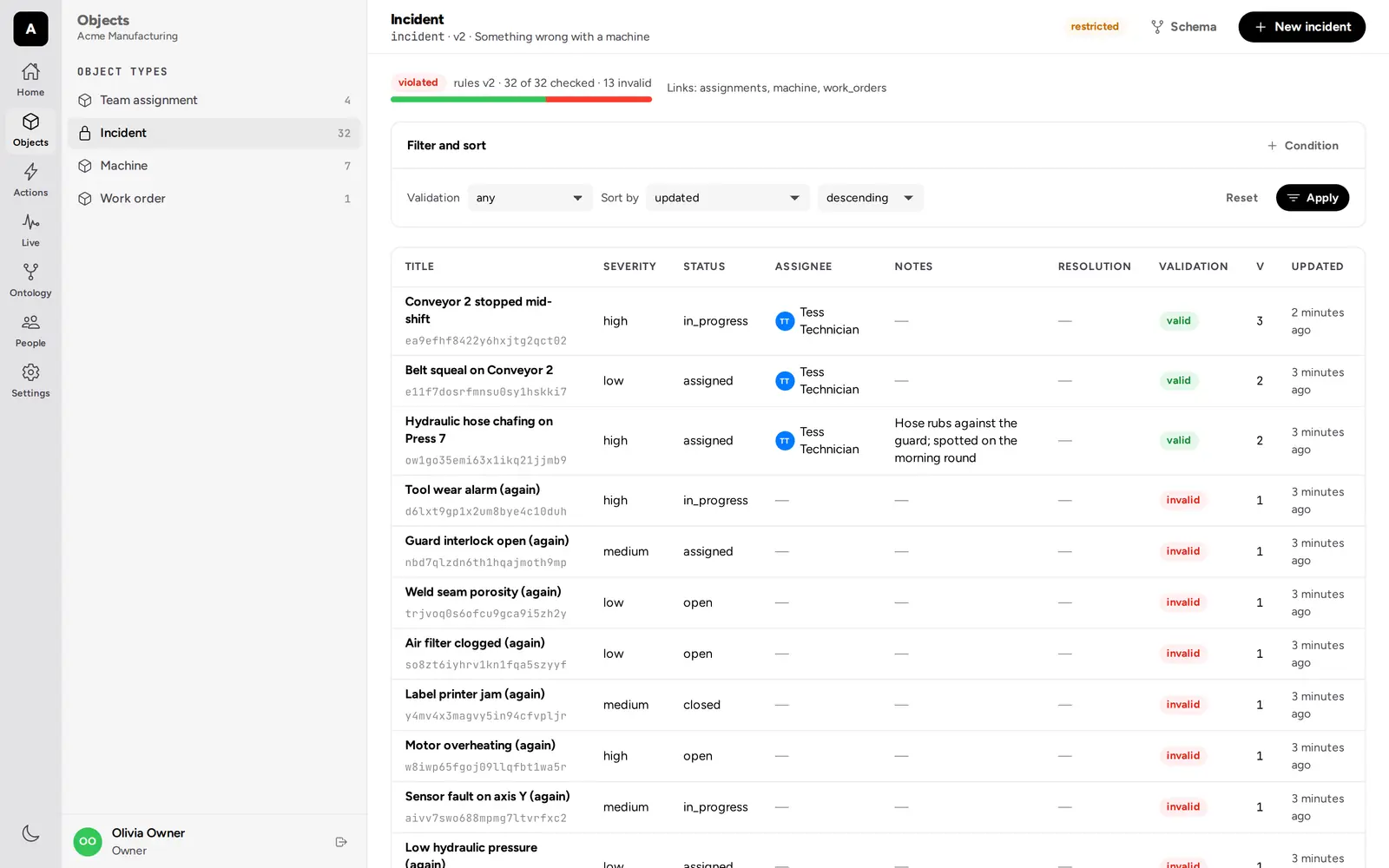
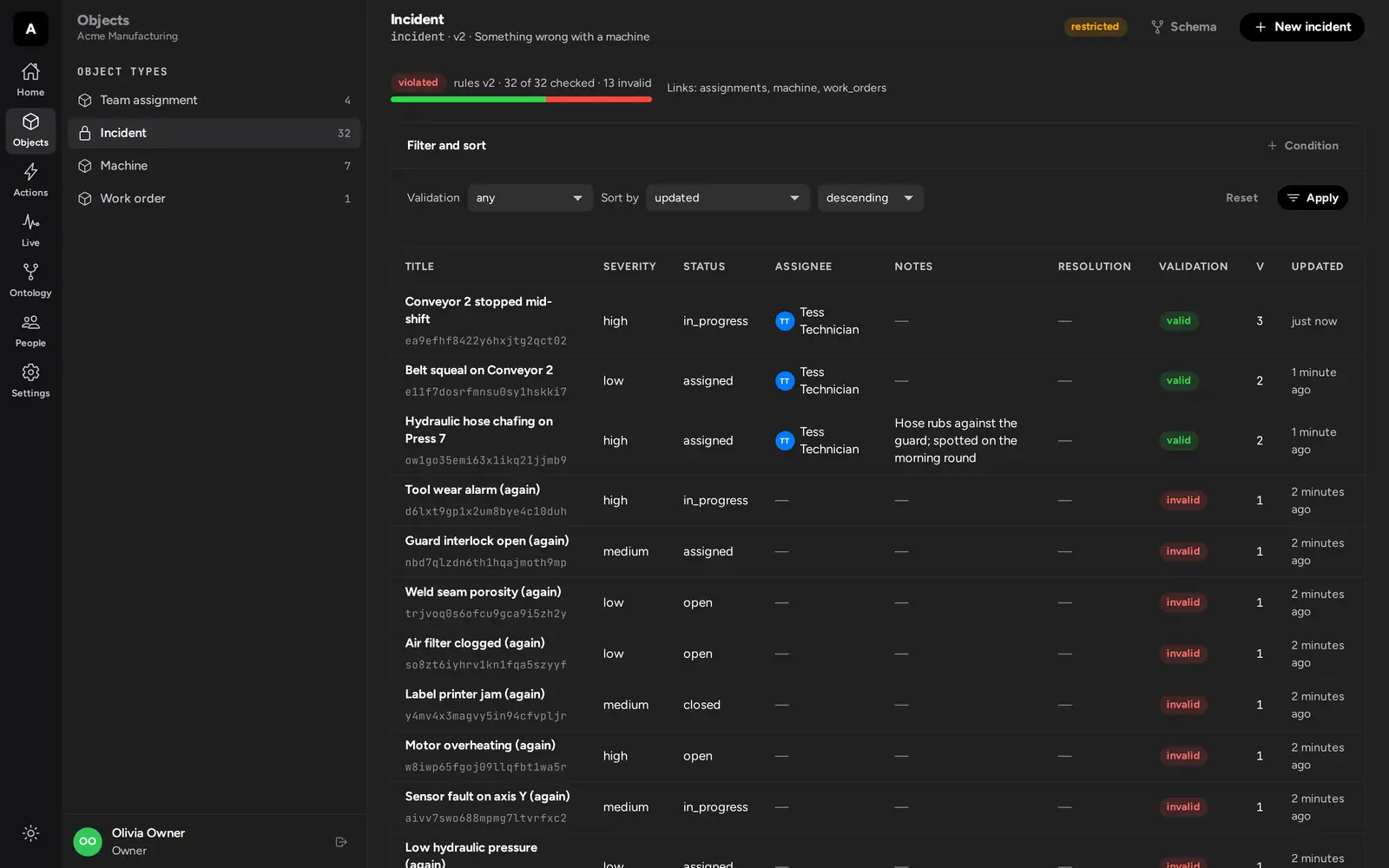
Browse and edit objects in tables and calendars, change the model, apply actions from generated forms, follow the audit log and the live feed, and manage people, teams, and security. The web app uses the same API as your agents and your own apps, so it shows each person exactly what they may see, and nothing more.
One engine for the apps you would otherwise build.
Maintenance tracking, document management, a dealership's sales, a team's issue tracker, and a household's devices and chores are usually separate apps, each with its own database, permission checks, and audit trail. Here each is a model and a set of actions loaded into the same engine, used by the same people and agents under the same rules.
- Machine maintenanceIncidents, assignments, and work orders. Technicians see only the incidents assigned to them, and a high-severity close needs a second person.assigned access · actions · four-eyes approval · webhooks
- Document managementFolders and versioned documents shared with people and teams. Files are readable by whoever sees the document, and unsharing ends that at once.sharing lists · team access · attachments · version conflicts
- Car salesStock, leads, reservations, deals, and invoices. Salespeople see their own customers, a large discount needs a manager, and closing sells the car and emails a numbered invoice at once.custom formats · one-to-one links · sequences · emails to customers
- An agentic dev teamIssues, tasks, pull requests, and reviews for people and coding agents. Agents claim work and spend their own budgets; CI reports back through signed webhooks.races · private budgets · review policy · webhooks in and out
- Smart home and householdDevices, scenes, chores, and a maintenance calendar. A hub agent carries out changes, schedules add the recurring work, and a guest’s access ends with the stay.scheduled actions · expiring memberships · automations · calendars
- Your ownDefine your own types, rules, and actions in the web app or through the API, start small, and reshape them whenever you need to.web app · API · versioned changes
One incident, an agent, an assistant, and a person.
A machine breaks down. An agent account reports and assigns the incident, a technician's assistant does the work through MCP, and a supervisor approves it in an app. Each step is an action the organization defined, checked against who is calling and what the data looks like when it commits. Everyone sees the same objects.
- dispatch-bot · RESTAn agent account reports a hydraulic leak on Press 7 and links it to the machine.
201 incident - dispatch-bot · RESTIt applies assign_incident: an assignment is recorded and Tess is emailed.
201 applied - dispatch-bot · RESTIts answer is lost, so it retries with the same idempotency key.
200 replayed - Tess · MCPHer assistant sees only the incidents assigned to her, and lists the actions she may apply.
1 incident visible - Tess · MCPIt tries to reassign the incident. Technicians are not granted that action.
403 forbidden - Tess · MCPIt opens a work order: the order, two links, the incident in progress, the machine in maintenance, in one transaction.
201 applied - Tess · MCPIt submits the close with the version it read before the work order changed the incident.
409 version_conflict - Tess · MCPIt reads the incident again and submits the close for approval.
201 awaiting approval - Tess · MCPIt tries to approve her own close of a high-severity incident.
422 criteria_failed - Sam · RESTThe supervisor, who watched every change on the event stream, approves. The incident is closed.
201 closed
One model for apps, people, and agents.
A dashboard, a person working through an assistant, and a background agent all refer to the same incident. They meet the same validation, the same permissions, and see each other's changes on the same event stream.
- Your appsThe REST API, signed in as a person with an emailed code or your identity provider.
- AssistantsAny MCP client, acting for the person who signed in, within what they consented to.
- Agent accountsYour own processes, with API tokens and only the permissions their team grants.
People, agents, teams.
Each organization has human users who sign in with an emailed code, and agents that use API tokens. Teams grant permissions, and are objects of the ontology with fields and rules of their own. Subteams pass their members up, memberships can end on a date, and every change to a team is kept in its history.owners and everyone always exist, and the database itself keeps at least one owner. Organizations can require two-factor authentication, admit whole verified domains, or bring their own identity provider.
- Email codesSix digits, ten minutes, five tries.
- Two factorsTOTP apps, security keys, and passkeys.
- Your IdPEd25519 JWTs, keys registered per organization.
- Agent tokensheat_…, hashed at rest.
An ontology, not a key-value store.
Object types have typed properties and format rules: strings, numbers, dates, geo points, references to users and files, arrays and structs. Links connect objects with a declared cardinality. Every write is checked against the type, new rules are applied to stored data in the background with every object marked valid, invalid, or pending, deletions are instant, and every change lands in an outbox you can stream. Who sees what is set per type, per object through the people and teams it names, and per property: a salary can be for HR only, on records everyone else sees.
{
  "api_name": "employee",
  "display_name": "Employee",
  "properties": [
    { "api_name": "name", "type": { "kind": "string" }, "required": true,
      "rules": [{ "rule": "length", "min": 1, "max": 100 }] },
    { "api_name": "email", "type": { "kind": "string" },
      "rules": [{ "rule": "email" }, { "rule": "unique" }] },
    { "api_name": "manager", "type": { "kind": "user_ref" } },
    { "api_name": "started", "type": { "kind": "date" } },
    { "api_name": "office", "type": { "kind": "geo_point" } },
    { "api_name": "badge", "type": { "kind": "string" },
      "rules": [{ "rule": "validator", "name": "luhn", "version": 2 }] }
  ]
}
{
"filter": { "op": "and", "filters": [
{ "op": "linked", "link": "projects", "object": "o9k3m7p1s5v2x6z0b4d8f2h6" },
{ "op": "gte", "property": "started", "value": "2026-01-01" },
{ "op": "not", "filter": { "op": "is_null", "property": "email" } }
] },
"order_by": { "property": "started", "direction": "desc" },
"limit": 50
}def validate(value):
digits = [int(c) for c in value if c.isdigit()]
if len(digits) != len(value) or len(digits) < 8:
return "badge numbers are at least 8 digits"
total = 0
for i, d in enumerate(reversed(digits)):
if i % 2 == 1:
d = d * 2 - 9 if d > 4 else d * 2
total += d
return total % 10 == 0id: 1042
event: object.created
data: {"type":"employee","id":"o4b8j2e6c0t1q5w9r3y7u2i6","version":1,"properties":{"name":"Ada"}}
id: 1043
event: link.created
data: {"link":"projects","from_type":"employee","from":"o4b8j2e6c0t1q5w9r3y7u2i6","to_type":"project","to":"o9k3m7p1s5v2x6z0b4d8f2h6"}
id: 1044
event: object.updated
data: {"type":"employee","id":"o4b8j2e6c0t1q5w9r3y7u2i6","version":2,"properties":{"name":"Ada","started":"2026-03-01"}}Rules too specific for a schema run as Python, in Monty: a sandboxed interpreter with no filesystem, network, or imports, 250 ms and 32 MiB per call.
Actions, all or nothing.
Objects describe what exists; actions describe what someone may make happen. An organization defines its own operations, such as "open a work order for this incident", once. Your app, a person's assistant, and an agent account all apply the same action under the same rules, and every application is recorded.
- Typed inputsParameters checked like properties, or references to live objects.
- Who may applyOwners grant teams each action, without handing out edit rights.
- CriteriaConditions or Python, checked on exactly what commits.
- All or nothingEvery create, update, and link in one transaction.
- Safe retriesAn idempotency key returns the first result instead of applying twice.
- Effects after commitSigned webhooks and emails, delivered with retries, in the audit log.
Two ways for agents to connect.
An assistant acts for a person. Every organization has its own MCP server and OAuth 2.1 authorization server, so any MCP client can connect with PKCE and dynamic registration. Its tools act for the signed-in user and never exceed their permissions or the scopes they granted, and no scope reaches owner actions or the schema.
An agent account acts as itself: an agent user with API tokens, on the REST API, holding what its teams grant. Use it for unattended work such as imports and triage.
- whoamiwho the grant acts for
- list_membersmcp:read + view_members
- describe_schemathe types you may view
- query_objectsfilters, ordering, cursors
- update_objectontology:write + edit_objects
- action_open_work_orderactions:apply + the action's grant
Every organization kept apart.
Organizations never see or affect each other's data. Every request gets a transaction scoped to exactly one organization, Postgres row-level security filters every row underneath it, and the runtime roles cannot bypass it. A query that forgets to filter by organization still sees only its own organization's rows.
- Scoped transactionsHandlers only ever get a transaction scoped to one organization, built from a verified credential. No pool, no way around it.
- PostgresForced RLS on every table, the organization set per transaction, and roles that are
NOBYPASSRLS, checked at startup. - TestsTests write to every organization table and try to cross over; a table without the policy fails them.
Isolation and authorization rules are enforced by PostgreSQL row-level security. The access rules are a formally verified model: machine-checked proofs show, for example, that one organization never sees another's data, that a hidden folder hides everything below it, and that search returns only what you could open. The code is tested against that model; the code itself is not formally verified.
What it is, and isn't.
- An app and an API.
- People use the web app that comes with it. Build your own apps on the same REST API, or let agents use the MCP server.
- For smaller teams.
- One binary and one Postgres. No Kafka, no Redis, no cluster to babysit.
- Not a data warehouse.
- Objects are JSON documents checked against their types, queried with typed filters. Bring your analytics elsewhere.
- Not a sandbox for agent-written code.
- Isolation keeps a buggy handler inside its organization. Server code an agent writes needs review like any other.
- Not finished.
- Access goes down to single objects and single properties, but not along links, and filters on properties are not indexed yet. See current limits and measured performance.
Run it.
The happy-enterprise binary, Postgres 16 or newer, and an email provider when you go live.