Sure, GPT, I need another 10 different buttons to start my work!
Every AI app keeps adding front doors: a new chat, a project, an assistant, a mode. Each one asks you to decide what the work is before you've started it.
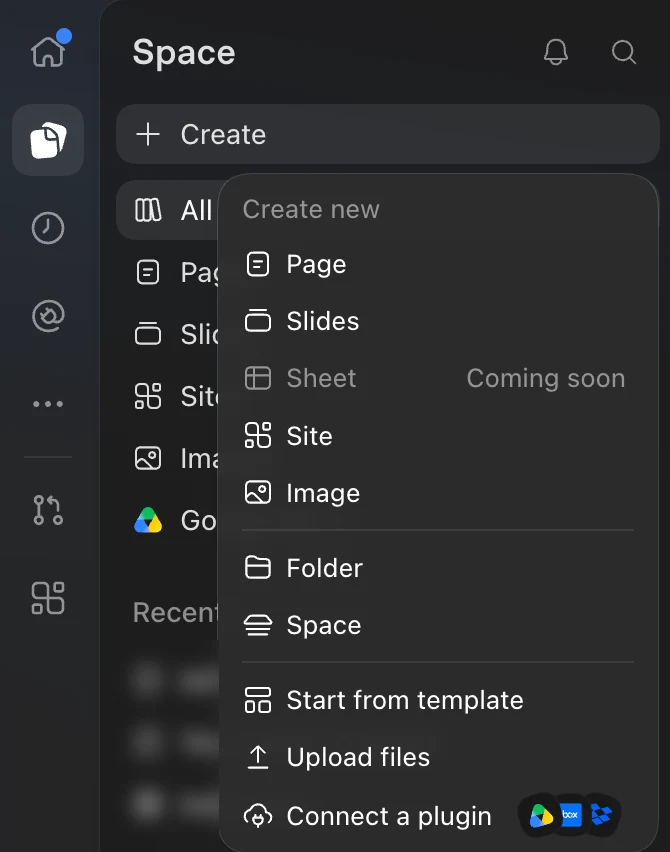
Ten ways to start, and you haven't said a word yet. You rarely know what the work is until you're in it: the quick question turns into a week of work, and the project turns out to be one question. Pick one, and you may have to reorganise the work later.
If that frustrates you, you're not alone. Plenty of people feel the same way, and so do we.
What if… you needed one button?
In Happy, we're trying one door instead:
All new work starts as a stem cell.
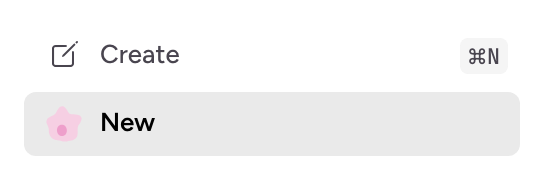
Create makes a row called New. You say what it is, and it names itself, grows its own icon and slots into the right section, even if that section is Distractions.
What happens next?
Once you've said enough, the stem cell morphs into the right thing: it finds the repository to work in and loops in the people who should know.
Naming, icons and sections work today. Repositories and people are next on our roadmap.
Every boomerang comes back
With today's models, starting work is cheap, and a little addictive. You throw one boomerang after another: a quick fix, an experiment, a side quest. They fly far, and it's fun. Then they all start coming back at once, and you're overwhelmed.
That's why Happy has a dedicated focus agent whose only job is to keep you on point. It files new work next to related work, parks side quests in Distractions, and keeps the sidebar in shape, so when a boomerang comes back, you know where to catch it.
Try it
If this sounds like you:
Give Happy's stem cells a try. They're experimental and off by default: in Happy, open Settings, then Experimental, and turn on Spaces sidebar and Stem cells.
Download Happy.
Free and open source